Client Platform
35% greater satisfaction
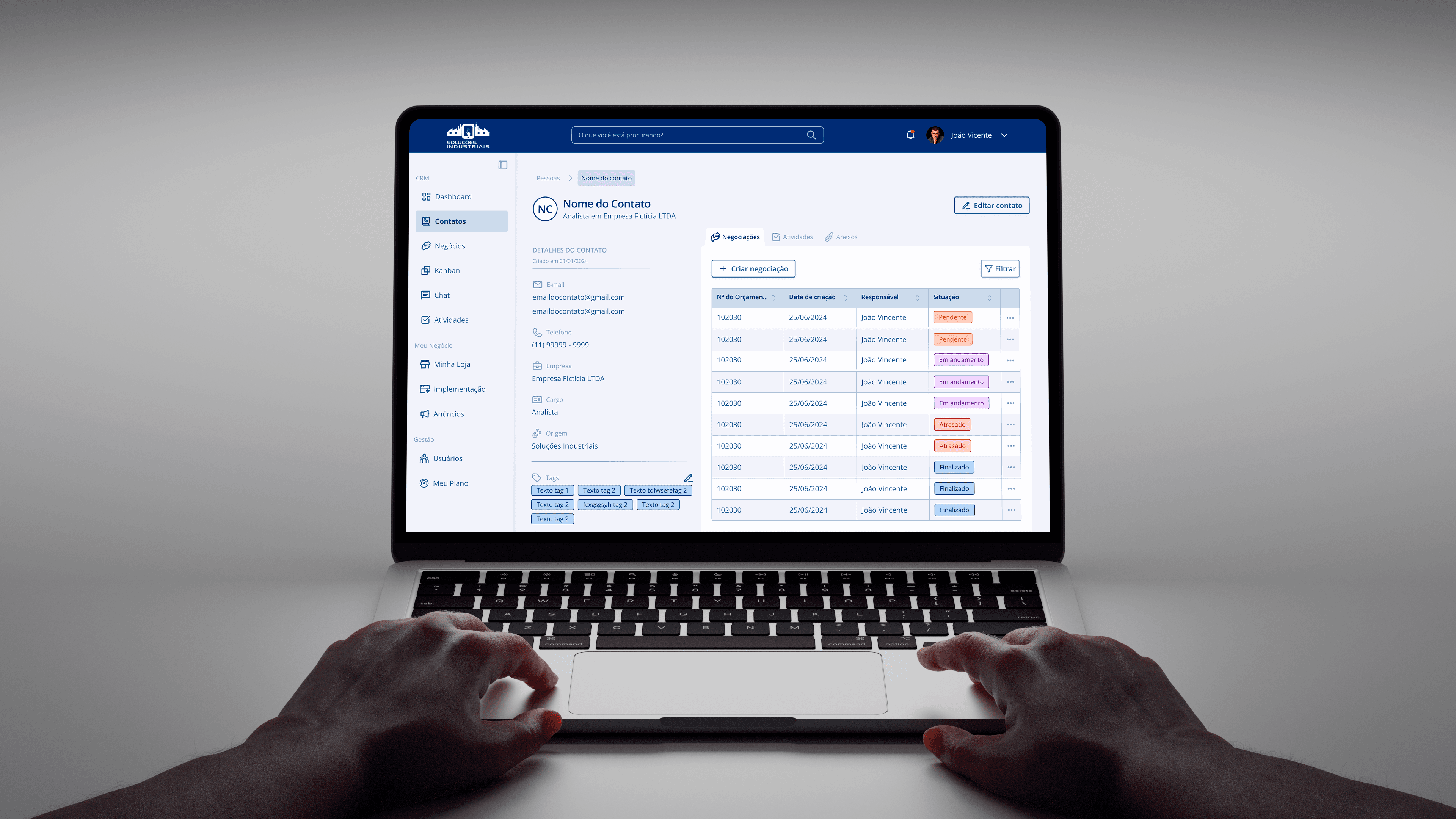
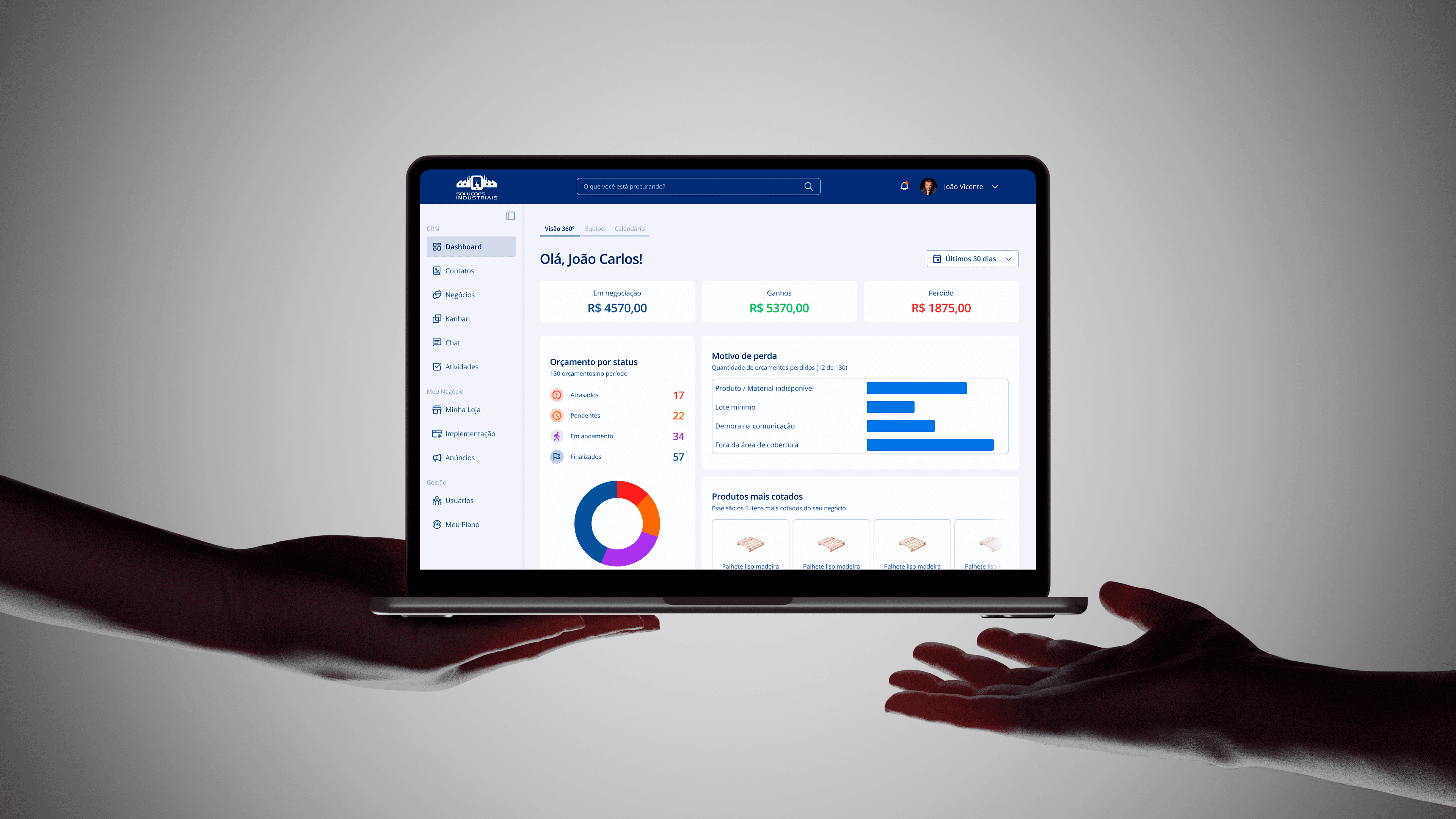
With the new customer dashboard, there has been a 35% improvement in customer satisfaction with the product.
Context
Soluções Industriais is a company that provides a B2B platform connecting suppliers and buyers in the industrial sector.
When a company registers as a supplier, it gains access to a management dashboard. In this environment, users can organize quote requests, manage published listings, monitor reports, and access other tracking and administrative tools.
As the business expanded, there was a need for a more robust, functional dashboard aligned with a higher standard of usability and professionalism.
Problem
The existing platform lacked an efficient structure and had an unpolished visual design, which undermined its credibility with clients.
As a result, active usage was low, and many suppliers preferred to track their quotes through external channels rather than using the platform.
Addressing this issue required more than a visual redesign — the platform needed to become genuinely useful for managing customer relationships.
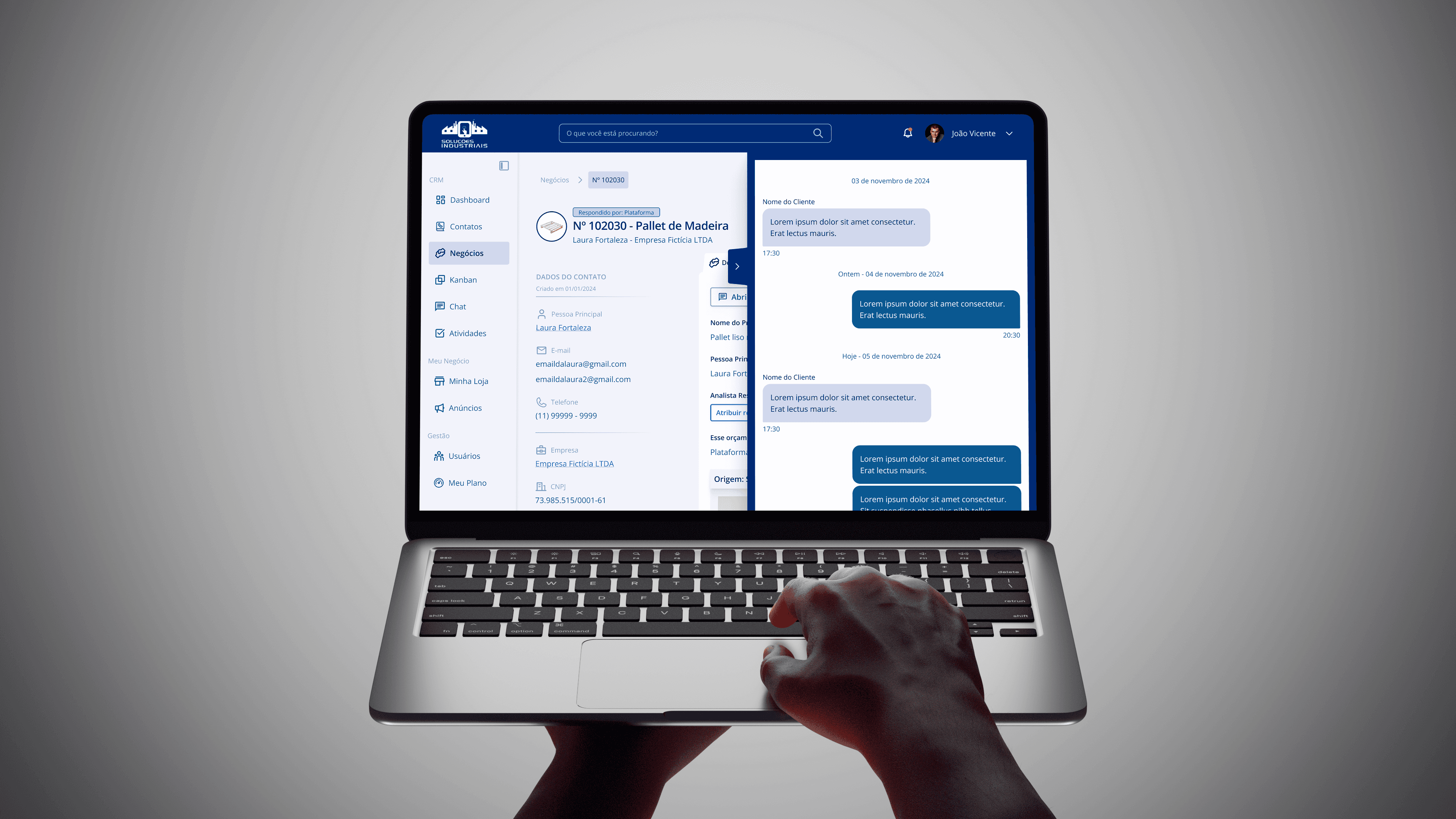
Therefore, CRM-like capabilities were introduced, including a centralized contact database with interaction history and the ability to import and export data for integration with external CRM platforms.
The Process
How I approached this project
What is used and how the market operates
Grouping functionalities intelligently
Organizing the Product with a Design System
Optimizing the creation flow and collaboration with developers
What is used and how the market operates
The first step was to understand how users actually interacted with the dashboard — which features were frequently used, which were ignored, and which tasks were performed outside the platform.
In parallel, I conducted a benchmarking analysis of comparable tools, including established CRM systems and sales platforms such as Mercado Livre and GetNinjas.
The goal was to identify industry patterns, usability best practices, and opportunities for improvement to guide the redesign.

Grouping functionalities intelligently

We held a series of workshops with the team to design a new dashboard that was more useful and task-oriented. The main objective was to determine which features customers truly needed and how to organize them in a clearer, more intuitive structure.
After aligning both business and user needs, the dashboard was structured into three primary domains:
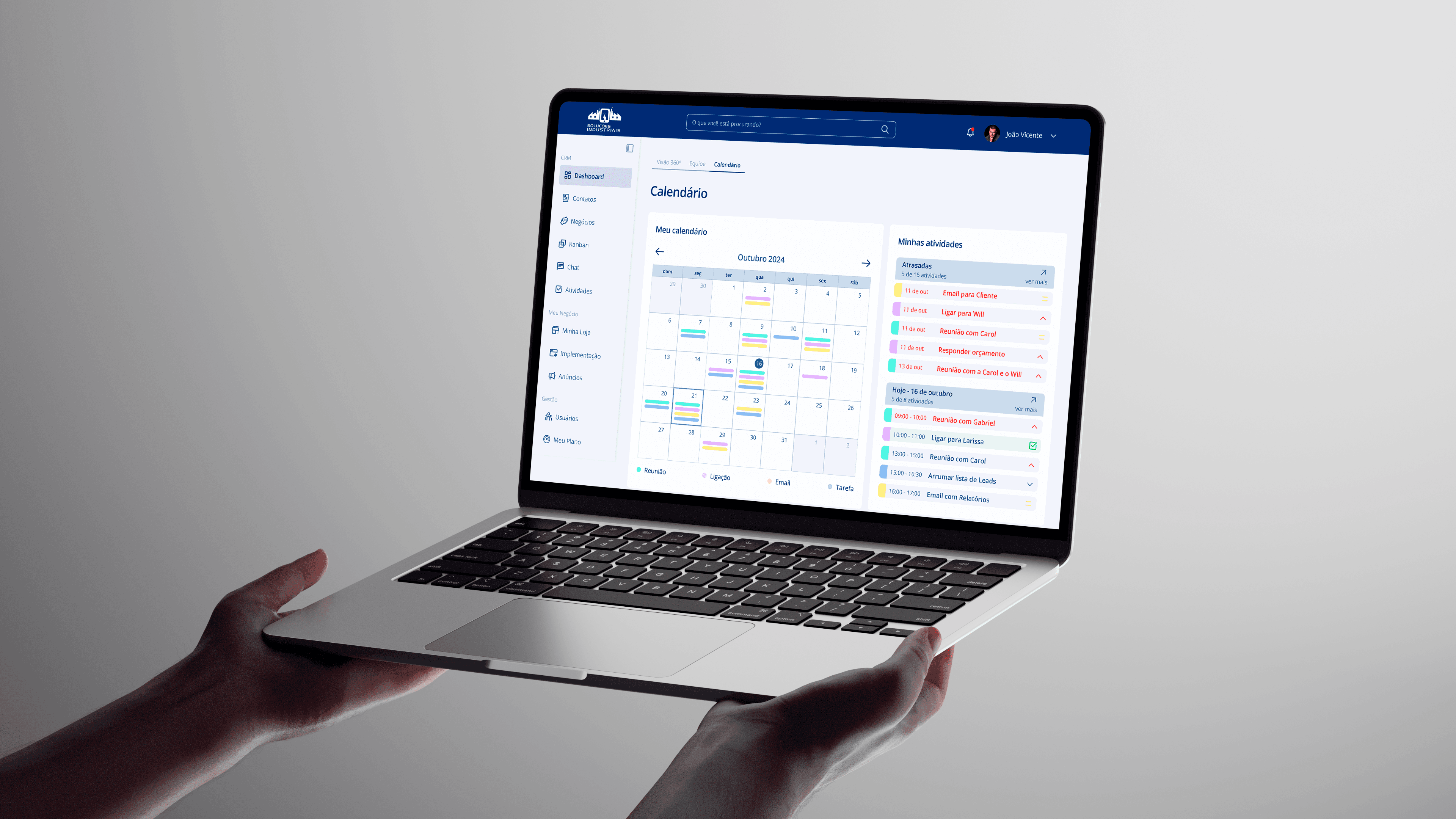
CRM — contains all customer relationship information, including contacts, quotes, interaction history, chat, and pending activities.
My Business — centralizes supplier company data, such as registration details and published listings. It also enables the creation of new listings and editing of existing ones.
Administration — focuses on account management, allowing users to create additional accounts for team members (e.g., analysts or sales representatives), organize them into teams, and configure permissions. This area also provides visibility into the subscription plan and its usage based on active listings.
Organizing the Product with a Design System
Although Soluções Industriais has many years of market experience, the company did not have a dedicated designer, resulting in the absence of a unified visual language.
The existing dashboard showed multiple inconsistencies and lacked visual refinement, which negatively impacted perceived product quality.
Because the new dashboard needed to meet a higher standard of visual quality and professionalism, I identified the need to establish a structured design foundation.

I created a simplified Design System documenting typography, color palette, iconography, and other core elements. This resource guided not only the dashboard redesign but also other digital touchpoints, ensuring consistency and scalability across the brand.
Optimizing the creation flow and collaboration with developers

To keep the process organized and avoid rework or misalignment between product and engineering teams, we adopted a modular development approach.
For each module, I designed all required screens and validated them with the Product Owner and directors to ensure functional completeness and visual approval before development began.
After approval, I produced responsive versions across five breakpoints — mobile, tablet, compact desktop (or landscape tablet), and two desktop sizes — and prepared the files for a clear, unambiguous developer handoff.
This workflow allowed engineers to build completed modules while I continued designing upcoming ones, maintaining a steady delivery pace and optimizing team efficiency.
Screens and extras